Configuration
Configure features, themes, editors, file associations, icons, and language servers.
Configuration is optional. Without it, stet uses its built-in dark or light
theme to match your terminal and reads editor commands from environment
variables, with vim as the terminal-editor fallback.
Location
stet reads its config once at startup from:
~/.config/stet/config.jsonc$XDG_CONFIG_HOME is honored, and config.json works too. Both are parsed as
JSONC, so comments and trailing commas are allowed.
Config problems never block startup. An invalid value drops only its own section, the rest of the config still applies, and the issue shows as a notice; unknown keys are reported too, so a typo'd key never fails silently. A document that is not valid JSONC cannot be read at all, so stet runs on the built-in defaults and reports the parse error the same way.
Features
Config is shaped by feature: each section owns its settings, including its off switch. Everything here is optional and shown with its default:
{
  "icons": { "enabled": true }, // Nerd Font file-type icons
  "viewer": { "wrap": false }, // wrap long lines instead of scrolling
  "sidebar": { "open": true, "changesOnly": false, "position": "left" }, // sizes default to the layout
  "problems": { "open": false, "position": "bottom" }, // sizes default to the layout
  "provenance": { "enabled": false }, // the per-line provenance rail
  "diagnostics": { "enabled": true, "download": true }, // LSP diagnostics
  "intel": { "enabled": true }, // language-server code intelligence
  "update": { "check": true }, // background release check at launch
  "search": { "regex": false, "caseSensitive": false, "scope": "changed" },
}| Key | Default | Effect |
|---|---|---|
icons.enabled | true | Nerd Font icons in the tree, pickers, and header (--no-icons forces off for a run) |
viewer.wrap | false | wrap long lines in the viewer (--wrap starts a run wrapped; x toggles from there) |
sidebar.open | true | show the file tree at startup (ctrl-b toggles) |
sidebar.position | "left" | which edge the file tree docks to: left, top, right, or bottom (d cycles clockwise) |
sidebar.width | responsive | tree width in cells while docked left or right, clamped to the terminal ([ / ] adjust, \ resets) |
sidebar.height | 10 | tree height in rows while docked top or bottom; each axis keeps its own size |
sidebar.changesOnly | false | the tree lists only changed files (c toggles) |
problems.open | false | show the problems panel at startup (p toggles; unlike p, this does not take focus) |
problems.position | "bottom" | which edge the problems panel docks to (d cycles clockwise while it is focused) |
problems.height | 10 | panel height in rows while docked top or bottom, clamped to the terminal ([ / ] resize it while focused, \ resets) |
problems.width | responsive | panel width in cells while docked left or right; each axis keeps its own size |
provenance.enabled | false | the line provenance rail starts on (a toggles) |
diagnostics.enabled | true | false runs no language servers for checks; the problems panel reads diagnostics disabled |
diagnostics.download | true | auto-download a missing language server (--no-lsp-download / STET_NO_LSP_DOWNLOAD force off for a run) |
intel.enabled | true | false turns the code-intel pulls (definition, references, implementations, hover, symbols, call hierarchy) into a notice |
update.check | true | check GitHub for a newer release in the background at launch |
search.regex | false | project search starts in regex mode (ctrl-r toggles) |
search.caseSensitive | false | project search starts case-sensitive (ctrl-x toggles) |
search.scope | "changed" | project search starts over changed files or the whole "repo" (ctrl-g toggles) |
A CLI flag wins over its config key for the run it was passed on. diagnostics.enabled and
intel.enabled are independent switches over the same language-server pool: turning diagnostics
off with intel on still starts a server when a caret pull needs one, and the reverse never
answers a caret.
Keyboard shortcuts are configurable the same way: a keybindings section maps
action ids to combos ({ "toggle-sidebar": "ctrl+e" }), with false unbinding
an action. The ids, the combo grammar, and the fixed exceptions live in the
keybindings reference.
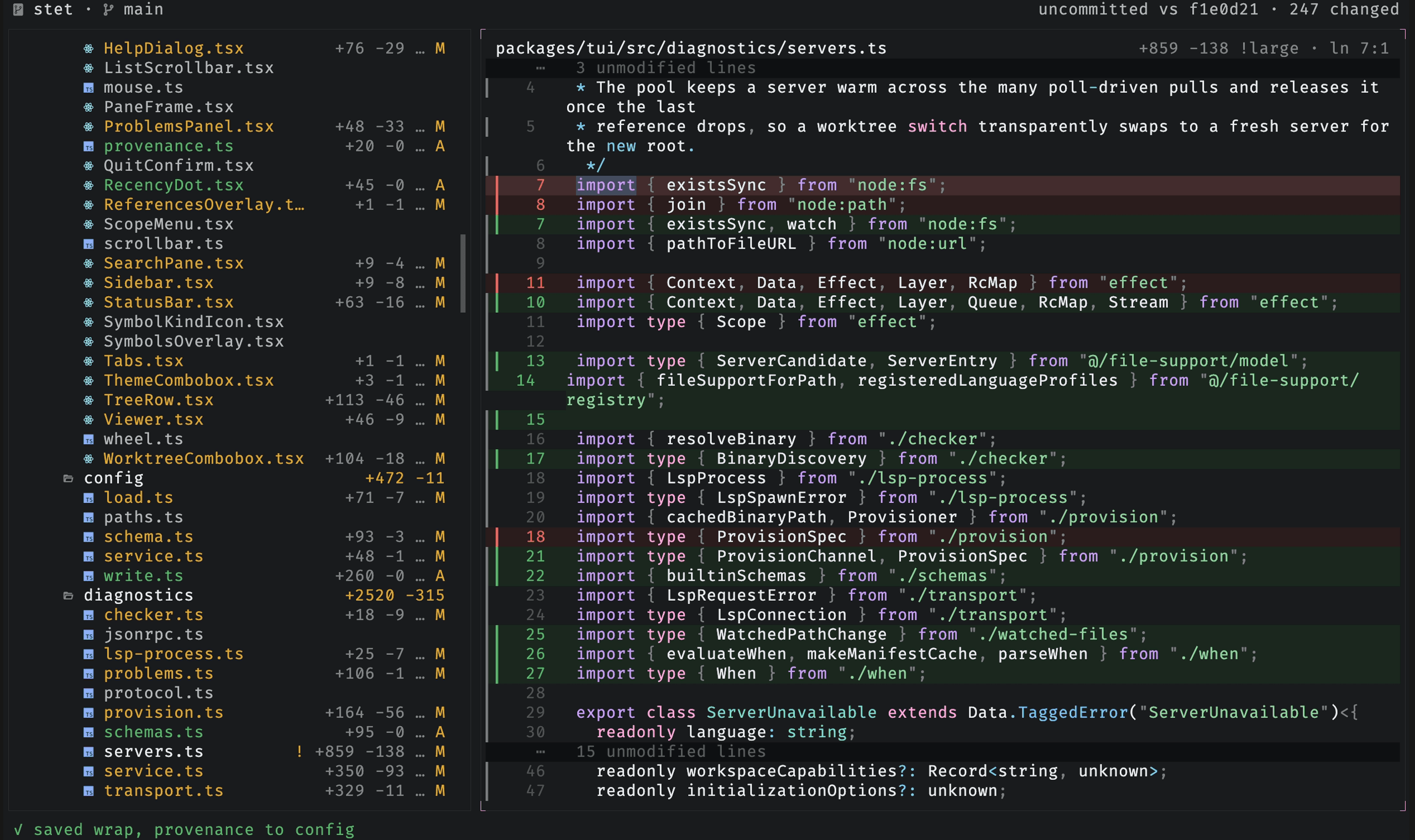
You never have to edit the file by hand for these: press ctrl-s anywhere to
save your current session settings (theme, icons, wrap, sidebar, problems panel,
changes-only, provenance, search toggles, plus any --editor/--ide passed this run) back
to the config. Only keys that differ from the file are written, as targeted
edits that keep your comments, and the notice names what changed; an editor
resolved from $EDITOR-style environment fallbacks is never written, only a
literal flag. With no config file yet, ctrl-s creates one.
Editor and IDE
Use editor and ide to set persistent command templates for the e key
(terminal editor) and the o key (GUI / IDE). Both accept {file}, {line},
and {repo} (the repo root); {line} is omitted automatically when no cursor
line is available. {repo} matters most in an ide template, where passing the
folder makes the IDE open the file as a workspace instead of a bare single-file
window.
{
  "editor": "nvim +{line} {file}",
  "ide": "code {repo} --goto {file}:{line}",
}
Without a config value, the two keys fall back differently:
editorfalls back toSTET_EDITOR, then$EDITORor$VISUAL, thenvim.idefalls back toSTET_IDE, then$VISUALbut only when it differs from$EDITOR, following the convention that$VISUALnames a GUI editor where$EDITORnames a terminal one. If nothing is configured,odoes nothing.
A bare editor name with no {file} is expanded to a known template: nvim
becomes nvim +{line} {file}, code becomes code {repo} --goto {file}:{line}.
The recognized names are code, cursor, emacs, helix, hx, idea, kak,
micro, nano, nvim, subl, vi, vim, and zed; the GUI editors among
them (code, cursor, idea, zed) carry {repo} and open a workspace, the
rest a terminal {line}/{file}. An unrecognized bare name gets +{line} {file}
appended, and a value that already contains {file} is used verbatim as a full
template. Templates are split on whitespace, so an editor binary path with spaces
is not supported.
The O key opens the current file in your OS default app (open on macOS,
xdg-open on Linux). It uses the system handler, so it needs no template or
config.
Themes
Define themes under themes and pick one with theme. theme is either a
single theme name, or a { "dark": ..., "light": ... } pair that follows the
terminal live: flip your terminal's appearance and stet re-themes.
A theme is a full set of #rrggbb tokens, or { "base": <name>, ... } that
inherits another theme and overrides only the tokens you name. Its "syntax" is
a bundled Shiki theme name, or an object overriding
individual tokens (keyword, string, and so on).
The dynamic icon token map colors named icons. It accepts built-in and user-defined icon names.
The built-in themes color recognizable file types while structural and generic icons stay muted; an
icon with no color entry falls back to text.muted.
{
  // follow the terminal, with a custom theme on each side
  "theme": { "dark": "my-dark", "light": "my-light" },
  "themes": {
    "my-dark": { "base": "dark", "accent": { "primary": "#ffa7d9" } },
    "my-light": { "base": "light", "accent": { "primary": "#b4267a" } },
    "mocha": { "base": "dark", "syntax": "catppuccin-mocha" }, // stet chrome, Catppuccin code
    "tweaked": { "base": "dark", "syntax": { "keyword": "#ff8800" } }, // one token changed
  },
}
The built-in themes are dark, light, and a monochrome pair, mono-dark and
mono-light, where every token is a pure grey. When NO_COLOR is non-empty
(no-color.org), stet ignores the configured theme and
starts on the monochrome pair; change indicators keep working without hue (the
diff's change bar renders +/- under any all-grey theme), and an explicit
pick in the theme switcher still applies. Press t in the app to open the
theme switcher and try any theme without editing the config: filter by name,
move or hover to preview the whole UI live, enter (or click) to apply, esc
to revert. The switch lasts the session; ctrl-s makes it permanent, writing
the previewed theme (with any other changed settings) to the config. When the
file holds a { "dark": ..., "light": ... } pair, only the current
appearance's half is rewritten, and saving auto removes the theme key.
File support
File support is four named registries layered over stet's built-ins:
filesmatches paths and selects syntax, icon, and language facets.icons.glyphsmaps icon names to Nerd Font glyphs.languagesmaps profile names to an LSPlanguageIdand ordered server entries.diagnostics.serversmaps server names to commands, repository conditions, initialization and settings data, and static capability hints.
Each registry has its own entry shape, but they share the same named layering behavior. An object
with an existing name inherits fields it does not set, a new name adds an entry, and false removes
an entry. Arrays replace inherited arrays. Icon entries are glyph strings rather than objects. An
invalid entry reports a notice and leaves its built-in unchanged; an unknown icon, language, or
syntax referenced by a file association drops only that facet.
Add a language
The four registries keep each concern reusable. This complete Lua example adds a command, an LSP profile, a file association, and an icon:
{
  "diagnostics": {
    "servers": {
      "lua": {
        "command": ["lua-language-server"],
        "capabilities": ["definition", "references", "hover", "documentSymbol"],
      },
    },
  },
  "languages": {
    "lua": { "languageId": "lua", "servers": ["lua"] },
  },
  "icons": {
    "glyphs": { "lua": "\ue620" },
  },
  "files": {
    "lua": { "extensions": ["lua"], "syntax": "lua", "icon": "lua", "language": "lua" },
  },
}
A configured command resolves from the repo's node_modules/.bin, then PATH. Set discovery to
"python" to check the active $VIRTUAL_ENV/bin and the repo's .venv/bin before those defaults:
{
  "diagnostics": {
    "servers": {
      "pylsp": { "command": ["pylsp"], "discovery": "python" },
    },
  },
}
User commands are never auto-provisioned. Overriding a built-in server's command also drops its
trusted built-in provisioning definition, while its discovery strategy stays inherited unless you
set discovery to false.
Match files
A file association accepts filenames, globs, extensions, and dotfiles. Extensions are bare
suffixes without a leading dot. A glob containing / matches the full repo-relative POSIX path; any
other glob matches only the basename. Matching is case-insensitive unless caseSensitive is true.
Each association may set syntax, icon, and language. Built-in and user associations
participate in the same cascade, and each facet resolves independently by specificity: exact
filename, glob, extension, then dotfile fallback. At the same specificity, a later association wins;
user entries are registered after built-ins. Setting a facet to false blocks lower matches for
that facet: syntax becomes plain text, icon becomes the generic file glyph, or LSP support is
disabled.
{
  "files": {
    "generated": {
      "globs": ["generated/**/*.ts"],
      "syntax": "typescript",
      "icon": false,
      "language": false,
    },
    "docker-compose": {
      "filenames": ["compose.yaml", "compose.yml"],
      "syntax": "yaml",
      "icon": "docker",
      "language": "yaml",
    },
  },
}
Without a matching syntax facet, stet asks its bundled filename inference for a Shiki grammar.
Bare dotfiles do not masquerade as extensions. Without an icon match it uses file; without a
language match it starts no server.
Configure servers and selection
A server accepts command, discovery, when, initializationOptions, settings, and
capabilities.
{repoRoot} and {repoUri} placeholders in initialization and settings string values are replaced
per repository. Capability hints may contain definition, references, hover, documentSymbol,
callHierarchy, implementation, and pullDiagnostics; the server's initialize reply remains the
authoritative check. Omitting capabilities on a new server defaults it to the full code-intel set;
omitting it when overriding a built-in inherits that server's existing capabilities instead, so a
built-in that answers no code intel keeps answering none. The hint only routes code intelligence; it
never gates diagnostics, which run for any server its language profile selects, and the server's
initialize reply decides whether it answers pull diagnostics or only pushes.
when is declarative data, never a shell command. It accepts a repo-relative path, a manifest key,
or a Python dependency declaration. Relative paths may include parent-directory segments; absolute
paths are rejected. An array means any condition may match:
"when": [
  "deno.json",
  "deno.jsonc",
  { "file": "package.json", "key": ["devDependencies", "some-server"] },
  { "file": "pyproject.toml", "dependency": "some-server" },
]
A bare server name in a language uses that server's default when. { "server": "name" } is
unconditional, and adding when to that object supplies an entry-specific condition. A firstOf
group selects its first eligible candidate. This lets one profile express a repository-selected
primary server without duplicating file associations:
{
  "diagnostics": {
    "servers": {
      "deno": {
        "command": ["deno", "lsp"],
        "when": ["deno.json", "deno.jsonc"],
      },
    },
  },
  "languages": {
    "typescript": {
      "servers": [{ "firstOf": ["deno", "typescript"] }, "oxlint", "biome"],
    },
  },
}
Python uses the same grammar: [{ "firstOf": ["ty", "basedpyright"] }, "ruff"] prefers ty where
the repository opted into it and falls back to basedpyright. Reuse that list to keep detection, or
write { "server": "ty" } or { "server": "basedpyright" } to force one checker.
Set discovery or when to false on a server override to remove that built-in default. Set an
entire server, language, icon, or file association to false to disable it.
stet reads commands only from your global config. It never reads a server command from the
repository being inspected, although a configured executable may resolve from that repository's
.venv/bin or node_modules/.bin.
An entry that does not validate is reported in a notice; the rest of the config still applies. Invalid whole-entry overrides retain their built-in, while invalid references on a file association drop only the affected facet.
Schemas
schemas associates a file-match pattern with a JSON Schema, for both the JSON and YAML servers
(each applies the patterns that match the files it opens). package.json, tsconfig.json,
tsconfig.*.json, and jsconfig.json are built in for JSON, whose server ships no catalog of its
own; YAML additionally validates well-known files through its own SchemaStore integration with no
configuration. Map a pattern to a schema URL, a list of URLs, or false to disable a built-in:
{
  "schemas": {
    "*.deploy.json": "https://example.com/deploy.schema.json",
    "values.yaml": ["https://example.com/a.json", "https://example.com/b.json"],
    "app.config.json": "./schemas/app.schema.json",
    "tsconfig.json": false,
  },
}
A relative or bare path resolves to a file:// URL under the repository root, so a schema stored in
the repo is read locally and works offline; an http(s) URL is fetched over the network.
Environment variables
| Variable | Effect |
|---|---|
STET_EDITOR | fallback command template for the e key |
STET_IDE | fallback command template for the o key |
EDITOR / VISUAL | consulted after the STET_* variables; the two keys read them differently, see Editor and IDE |
STET_NO_LSP_DOWNLOAD | do not auto-download a missing language server (same as --no-lsp-download) |
VIRTUAL_ENV | the active virtualenv, checked first when a server uses "python" discovery |
NO_COLOR | any non-empty value starts stet on the monochrome mono-dark / mono-light themes instead of the configured one |
FORCE_COLOR | overrides NO_COLOR; 0 or false force monochrome, any other value keeps the configured theme |
XDG_CONFIG_HOME | base directory for the config file |
XDG_CACHE_HOME | base directory for the language-server cache ($XDG_CACHE_HOME/stet/lsp, otherwise ~/.cache/stet/lsp) |