Getting started
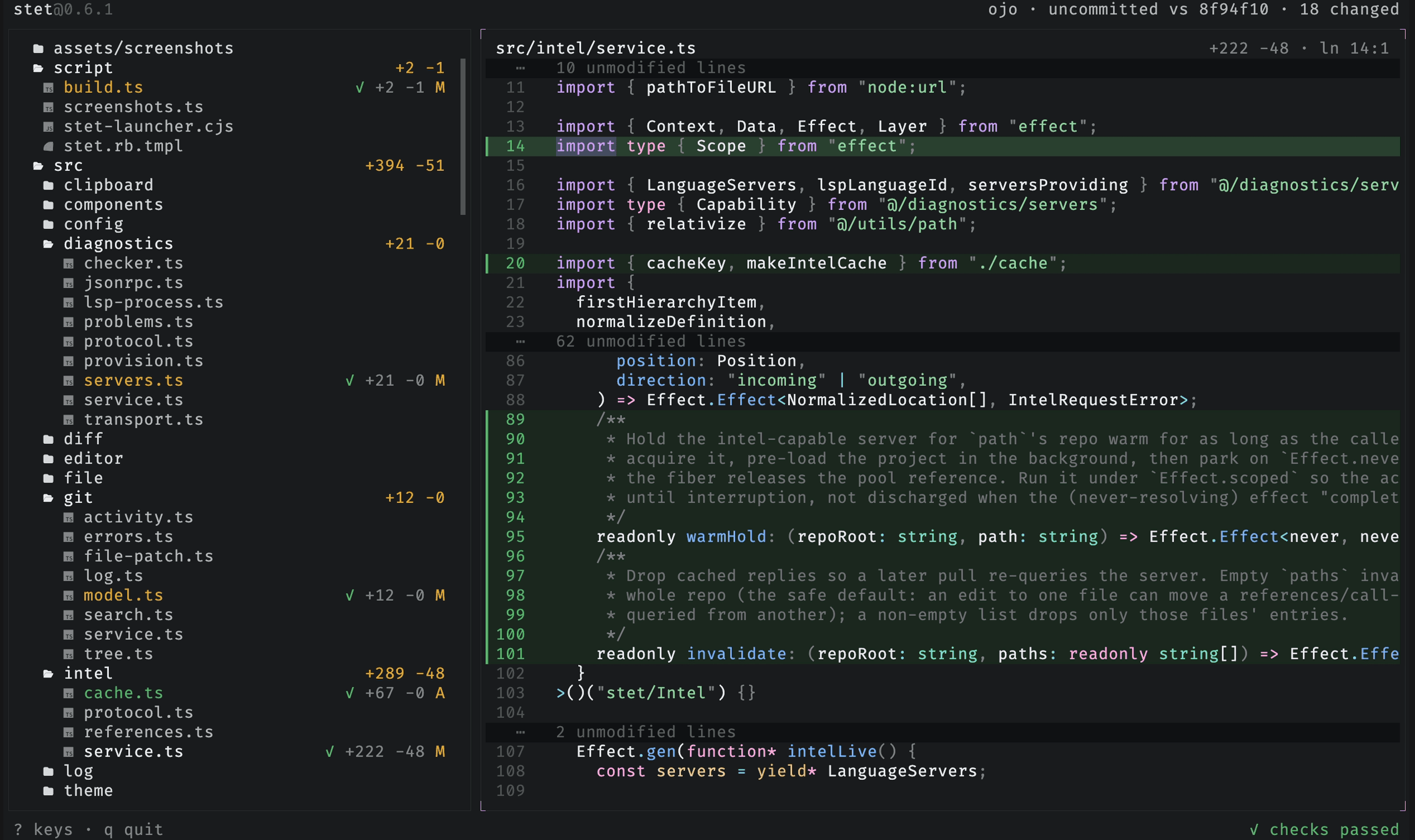
stet is a read-only companion TUI for inspecting an agent's changes from the next terminal pane.
Introduction
stet is a read-only companion TUI for inspecting an agent's changes. The agent
runs in one terminal pane; stet sits in the next one and answers the questions
you would otherwise open an editor for: what files are in this repo, what
changed, what was touched most recently, and whether there are errors in what
changed.
It shows you the repo, the diff, and the problems. It never reviews, approves, or talks to the agent. You decide what to say next.
Panes & layout
Move between the tree, viewer, and problems panel, then resize, dock, and zoom them.
Reading files & diffs
Read any file, view changes as diffs, preview images and binaries, fold by structure, and keep your place across tabs.
Search & navigation
Jump to any file, find within the open file, and search the whole repo.
Code intelligence
Go to definition, references, implementations, call hierarchy, hover, and problems.
Scopes & worktrees
Choose what the diff compares, and see which worktree an agent is working in.
Themes
Preview and switch themes live, then make one permanent in your config.
Install
A standalone binary for macOS and Linux. No runtime needed.
curl -fsSL https://stet.jimmy.codes/install | bashVerify the installation:
stet --versionThe command prints the installed release number in X.Y.Z form.
Usage
Run stet inside any Git repository. Without arguments, stet compares your
uncommitted changes with the current commit (HEAD). Pass a Git ref, such as a
branch, tag, or commit hash, to compare against another point in history.
stet            # uncommitted changes vs the current commit
stet main       # compare against the main branch
stet --staged   # start in the staged scope
stet --unstaged # start in the unstaged scope
stet --no-icons # plain tree without Nerd Font file-type icons
stet --wrap     # wrap long lines in the viewer instead of scrolling them horizontally
stet --editor "nvim +{line} {file}"              # terminal editor for the e key
stet --ide    "code {repo} --goto {file}:{line}" # GUI/IDE for the o key
The repository tree opens beside the file viewer. Changed files open as diffs. Diagnostics appear as language servers report them.
A repository with no commits yet has no HEAD to compare against, so stet
compares against the empty tree instead: staged files read as added, and
untracked files read as untracked the way they always do. The scope shows
uncommitted vs no commits yet until the first commit, after which it compares
against HEAD like any other repository.
Nerd Font icons
The tree shows a file-type icon next to each file. These are Nerd
Font glyphs and only render with a Nerd Font selected in your
terminal; without one they appear as empty boxes, so pass --no-icons to fall back to a plain
tree.
Press ? at any time to see every keybinding and the legend for the marks in
the tree and the gutter, or read the
keybindings reference.
Configure it
stet runs with no configuration. When you do want one, you do not have to write
it: set things up the way you like them in the app, then press ctrl-s.
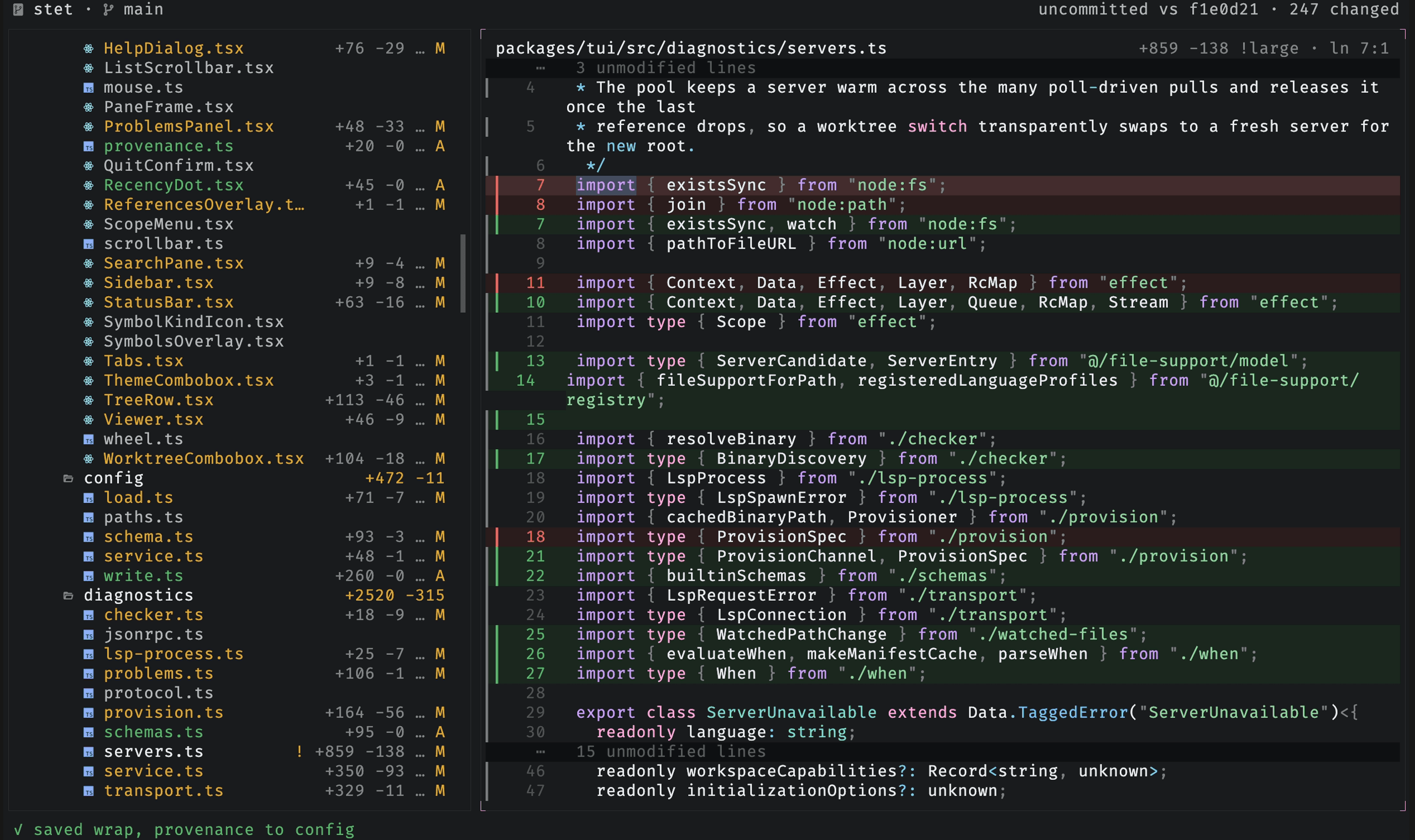
That saves the session you already have, the theme, wrap, the sidebar and
problems panel, the provenance rail, and the search toggles, to
~/.config/stet/config.jsonc. Only the settings that differ from the file are
written, as targeted edits that keep your comments, and the status bar names
what changed.
The file is yours to edit too, and it does more than the keys can reach:
{
  "theme": { "dark": "mocha", "light": "light" }, // follow the terminal
  "themes": { "mocha": { "base": "dark", "syntax": "catppuccin-mocha" } },
  "editor": "nvim +{line} {file}", // the e key
  "ide": "code {repo} --goto {file}:{line}", // the o key
  "keybindings": { "toggle-sidebar": "ctrl+e" },
}
Themes, editors, keybindings, file associations, language servers, and JSON schemas all live there. The configuration reference covers every key.
Upgrade
stet upgradeUpdates stet to the latest release using whichever channel it was installed
through: a standalone install re-runs the install script, an npm install runs
npm, and a Homebrew install runs brew upgrade. It checks the latest GitHub
release first and reports stet X.Y.Z is already up to date without running
anything when you are current.
stet also checks for a newer release in the background while it runs, and prints a one-line notice on clean exit when one is available. The check is non-blocking and never interrupts the session.
Requirements
git- a clipboard tool for copy (
y):pbcopyon macOS (built in), orwl-copy,xclip, orxselon Linux - a Nerd Font for the tree's file-type icons (optional; use
--no-iconswithout one)