Code intelligence
Read-only language-server navigation, go to definition, references, implementations, call hierarchy, hover, symbols, and problems.
stet navigates code through read-only language-server requests, the same servers that drive diagnostics. Every request here is a read: it never writes to the repo.
stet can use installed language servers or provision missing built-ins on first use. See how servers are found for the discovery order, cache paths, and download opt-out.
Go to definition
Put the caret on a symbol and press F12 to jump to its definition. A
cross-file jump records your spot, so < returns to the call site. When more
than one definition matches, the targets open in a results list to pick from.
Find references
Press Shift+F12 to list everywhere a symbol is used. The results open in an
overlay grouped by file, each row showing path:line:col and its source line.
↑/↓ move, enter or a click jumps, esc closes.
Find implementations
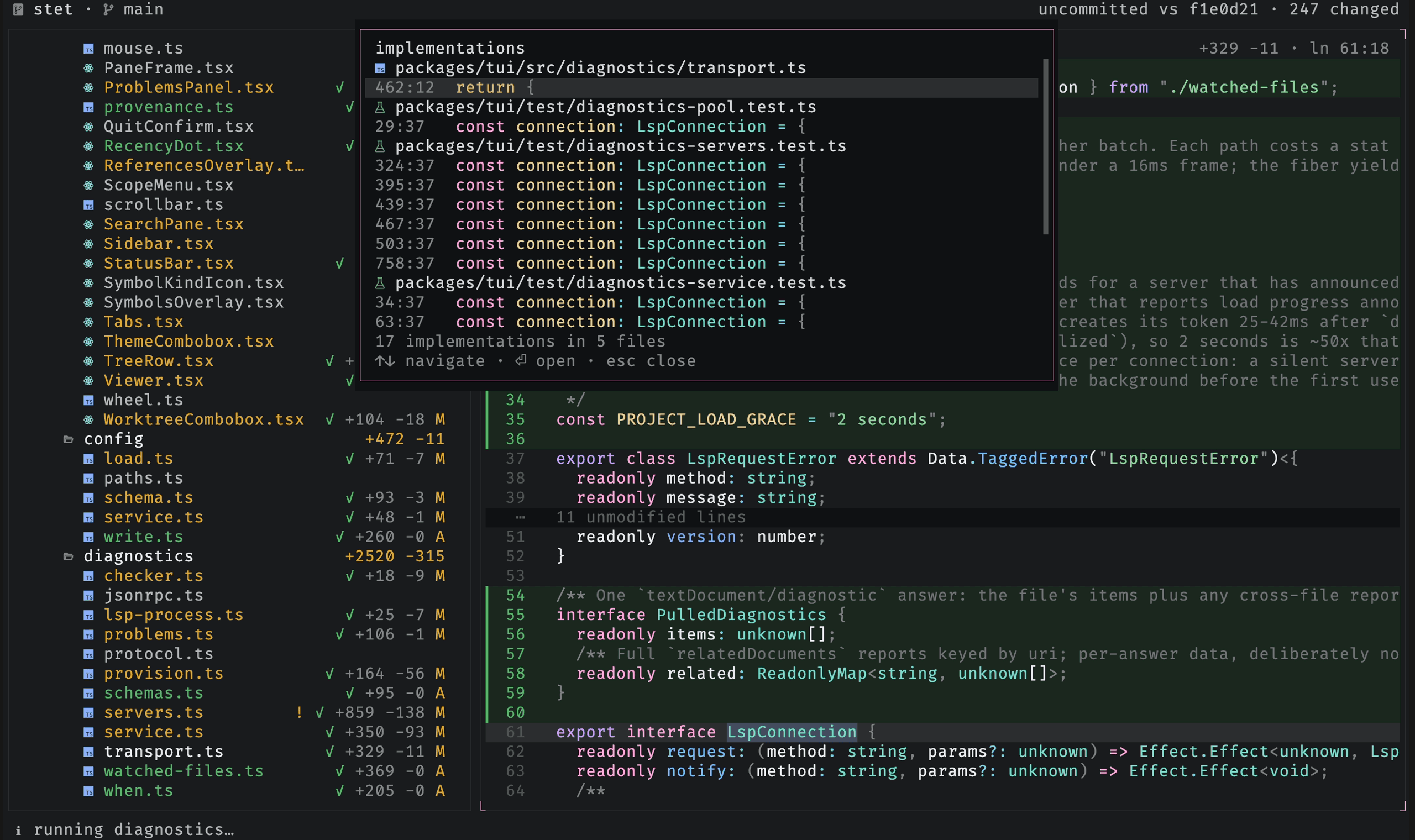
Put the caret on an interface or abstract member and press Shift+I to jump
past the abstraction to its concrete bodies. A single implementation jumps
straight there; more than one opens the same overlay as find-references.
Call hierarchy
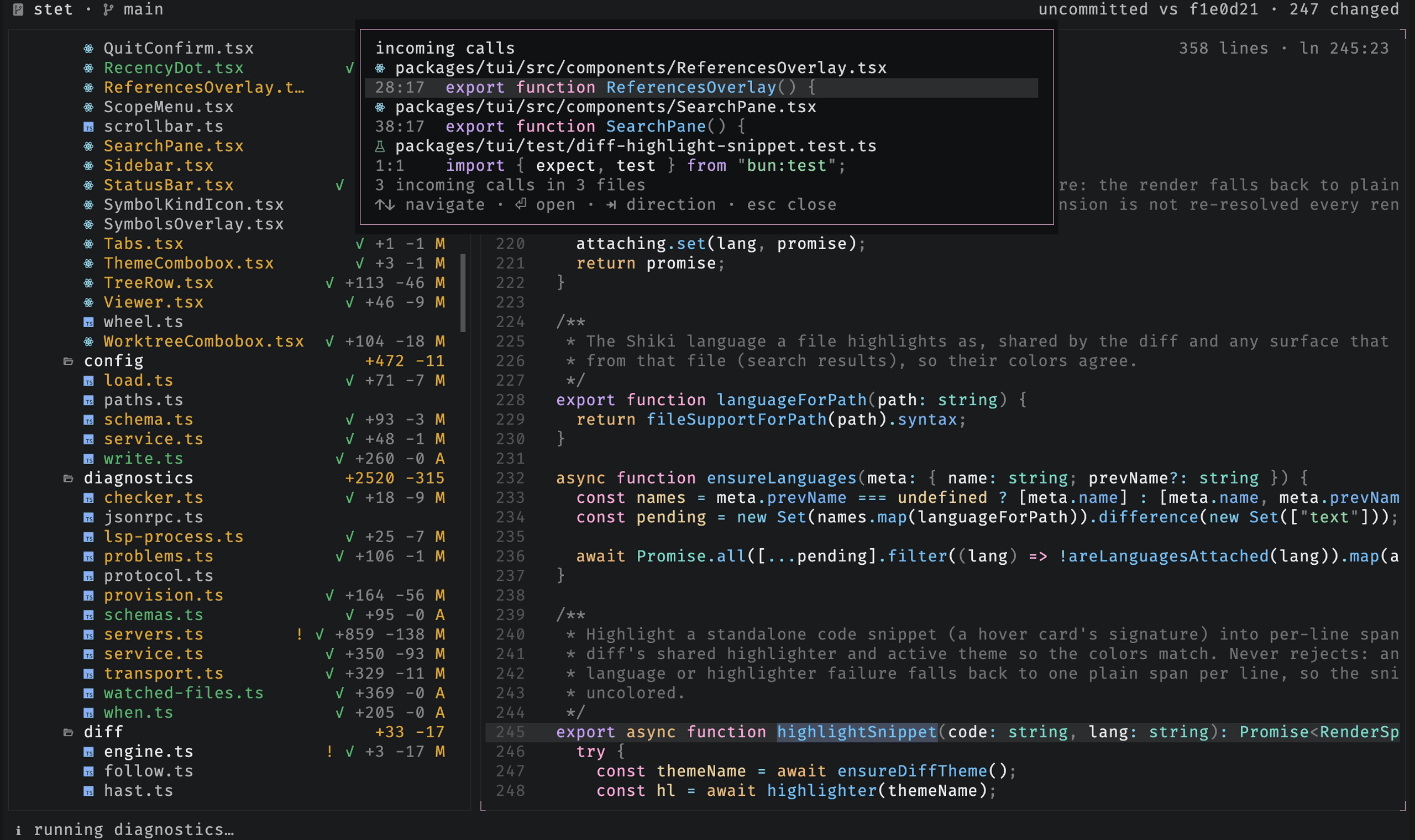
Put the caret on a function or method and press Shift+H to list its callers.
Tab flips direction between incoming calls (who calls this) and outgoing calls
(what this calls), with the footer showing which way you are looking.
Hover
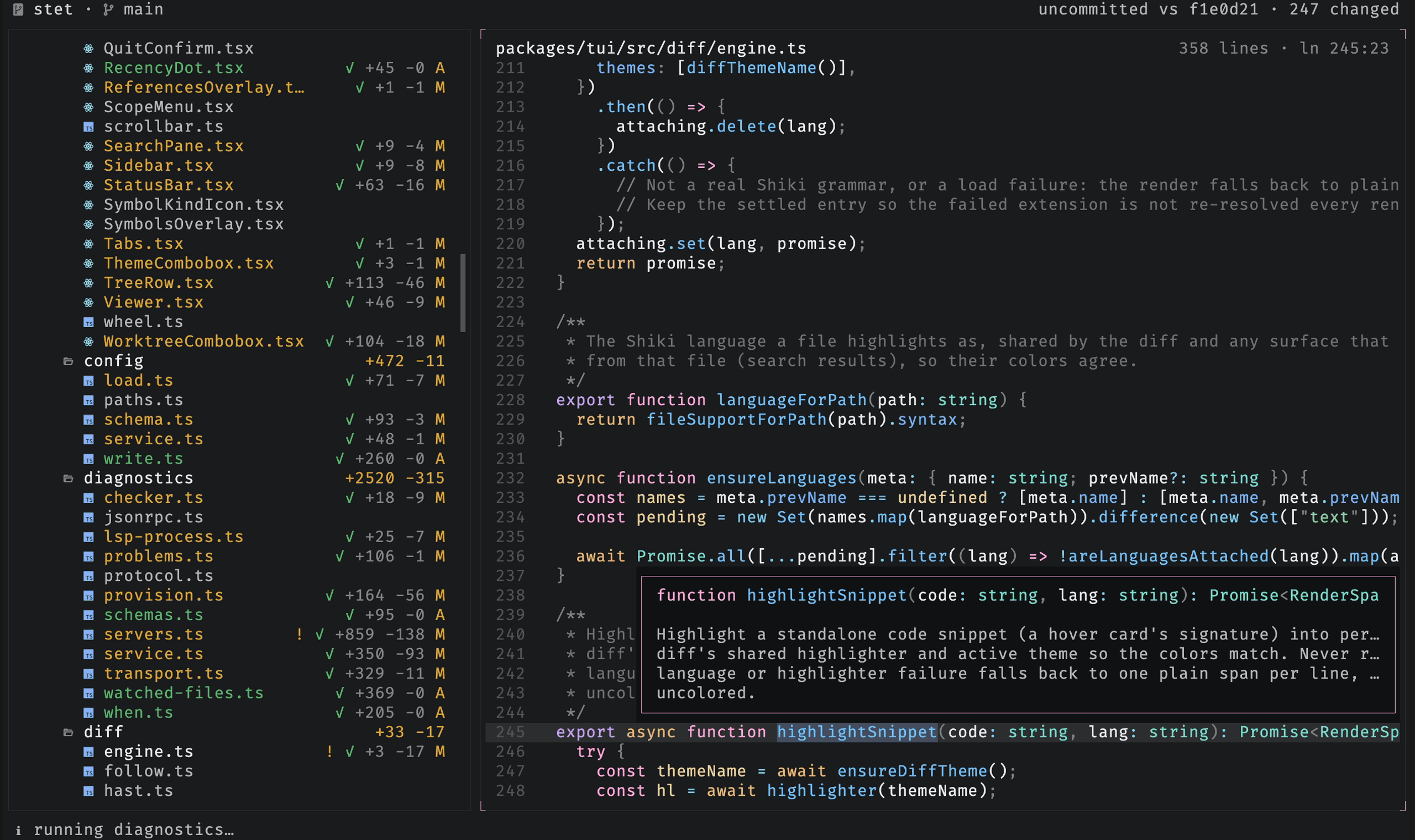
Press K with the caret on a symbol to show its type and docs in a small card
anchored at the caret. The type signature is syntax-highlighted with the same
theme as the diff. The card clears as soon as you move the caret, scroll, switch
files, or press esc.
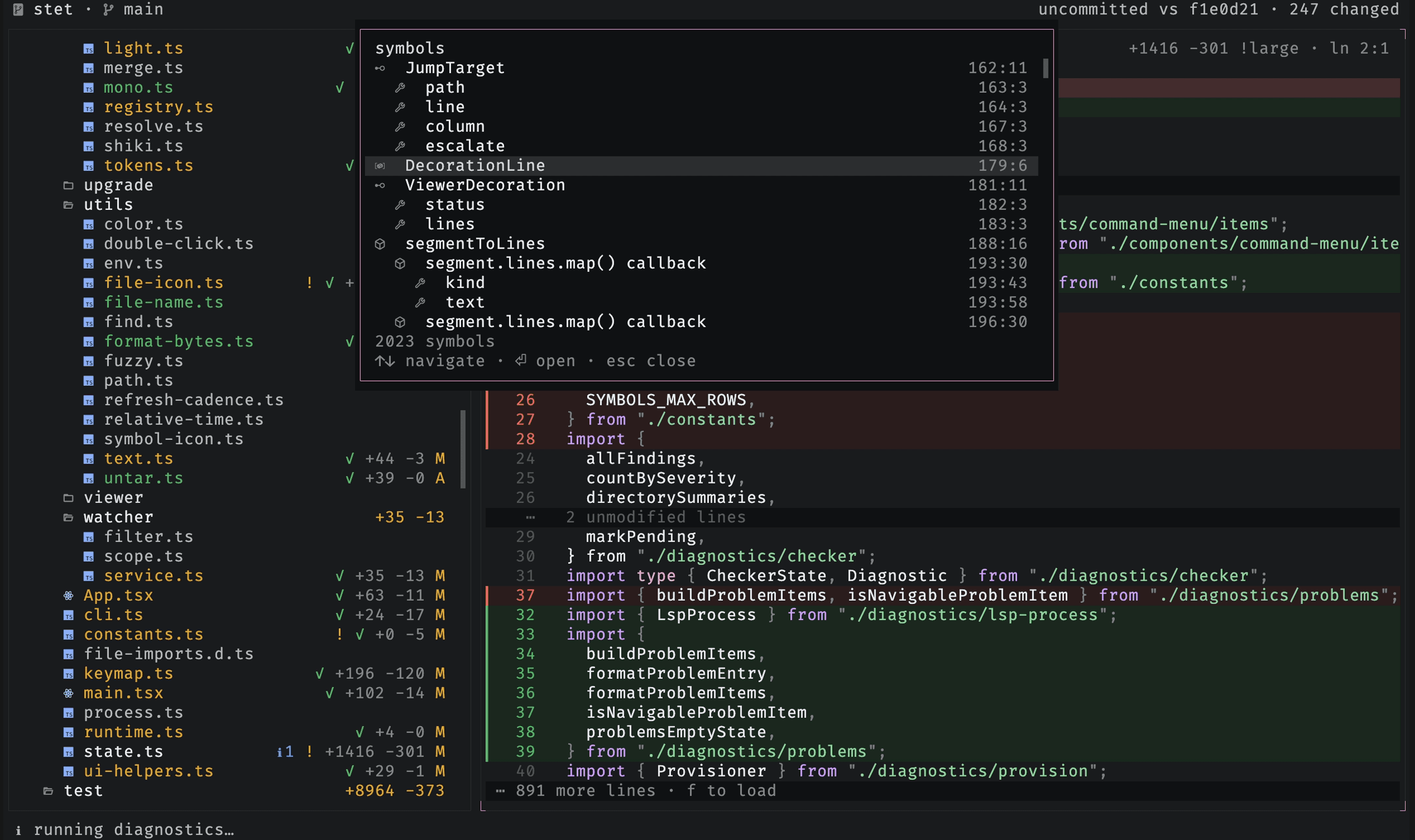
Find symbols
Press S to list the open file's symbols, classes, functions, methods, and the
rest, each with its kind icon and line:col, nested to mirror the file's
structure. Unlike go-to-definition it needs no caret, only an open file.
Problems
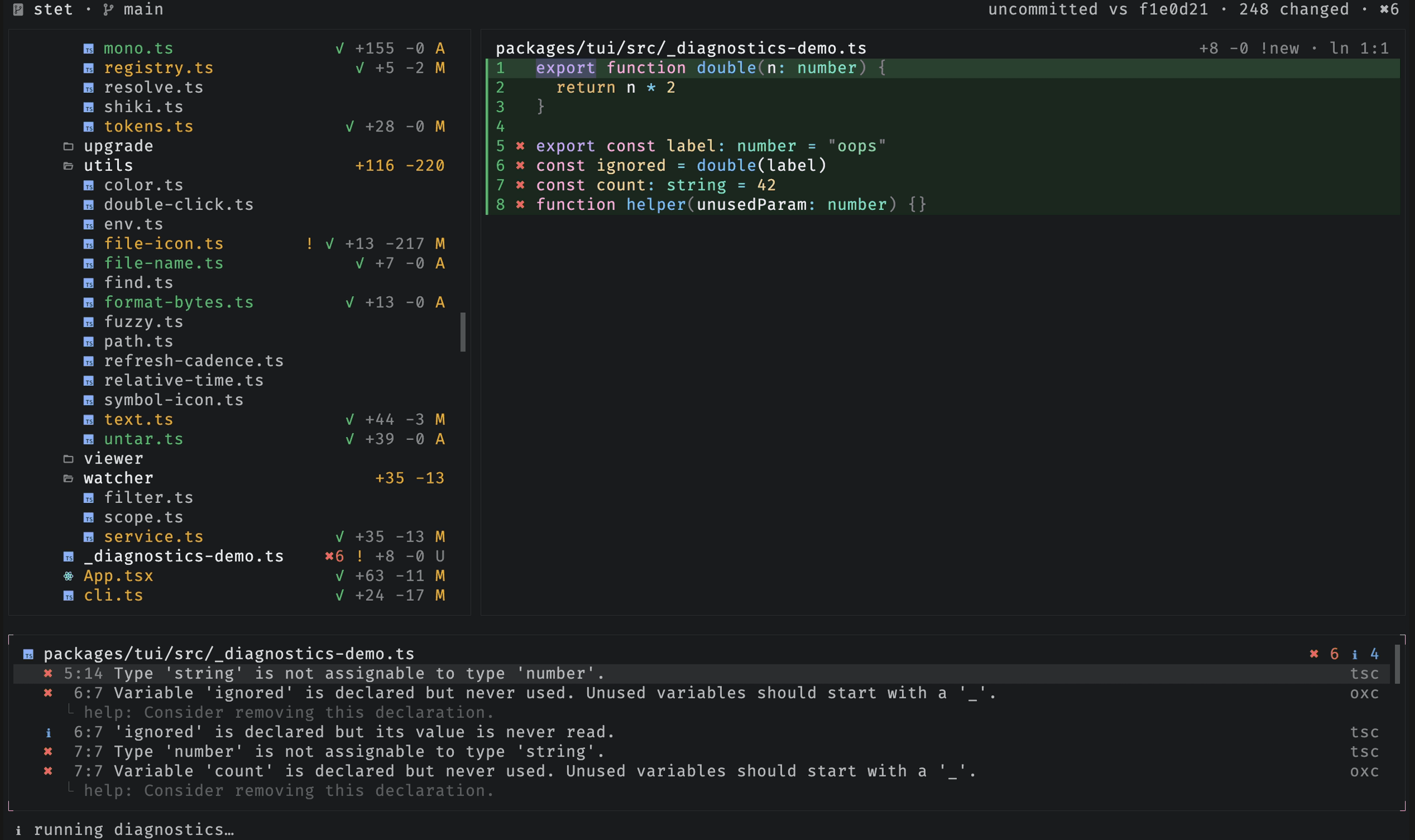
Diagnostics from the repo's language servers stream into a problems panel as
checks finish. Each finding is tagged with its source and pinpointed to its
line:col. Press p to open the panel and enter to jump
to a finding. The languages reference lists what
each language gets and how to add your own.
With the panel focused, y copies the selected entry and Y copies every one.
A diagnostic copies as path:line:col: message [source], dropping a line or
column it does not carry, with the message kept whole, so it pastes straight
back to the agent; a checker's own failure output copies as its raw lines. A
click selects an entry and a double-click jumps to it.