Reading files & diffs
Open any file read-only, view changes as diffs, fold by structure, and keep your place across tabs.
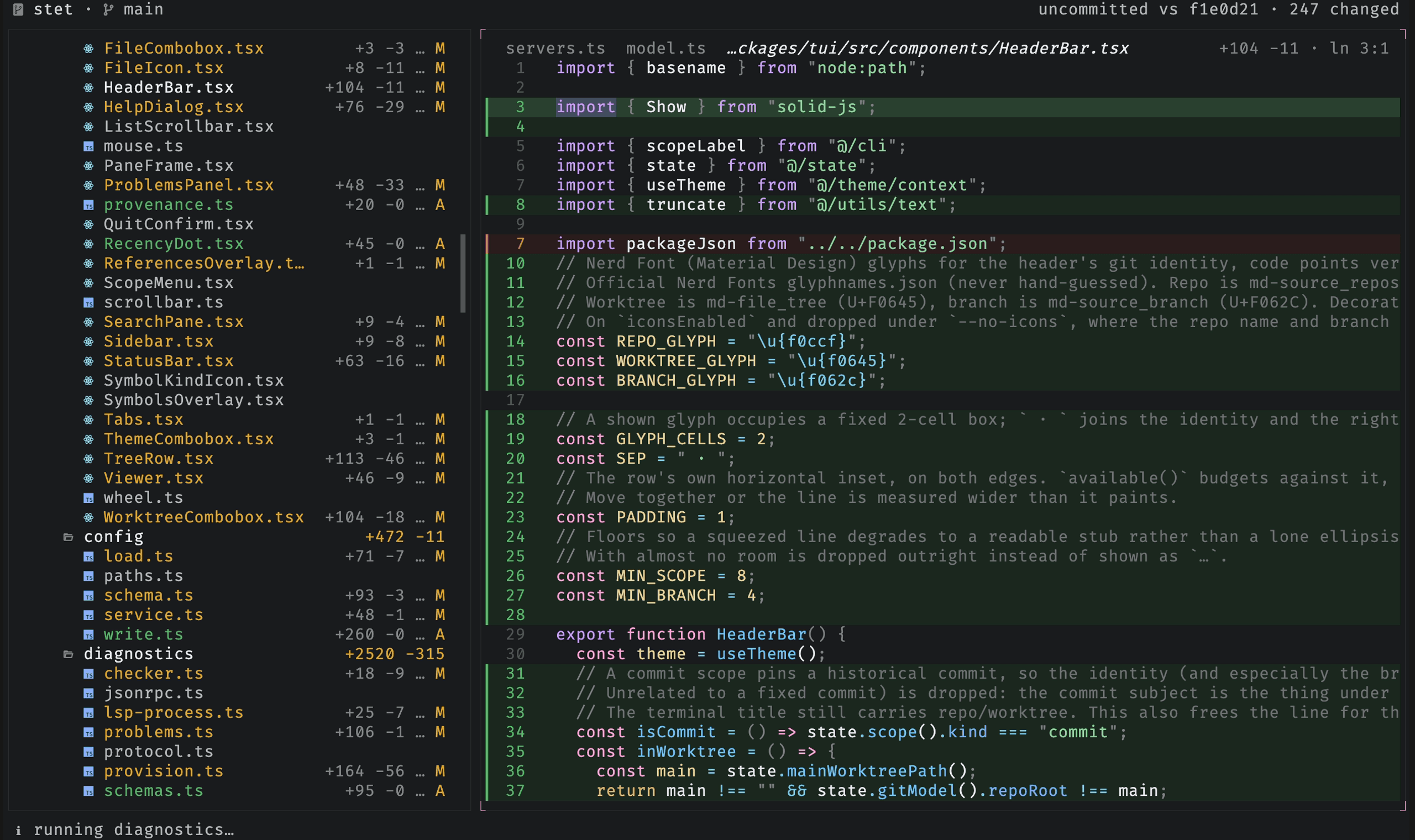
stet opens every file read-only. Unchanged files show as plain source; changed files show as diffs. Nothing here ever writes to the repo.
Read any file
Open any file and read it with syntax highlighting for any language Shiki supports. Unchanged files open with no diff gutters, just the source.
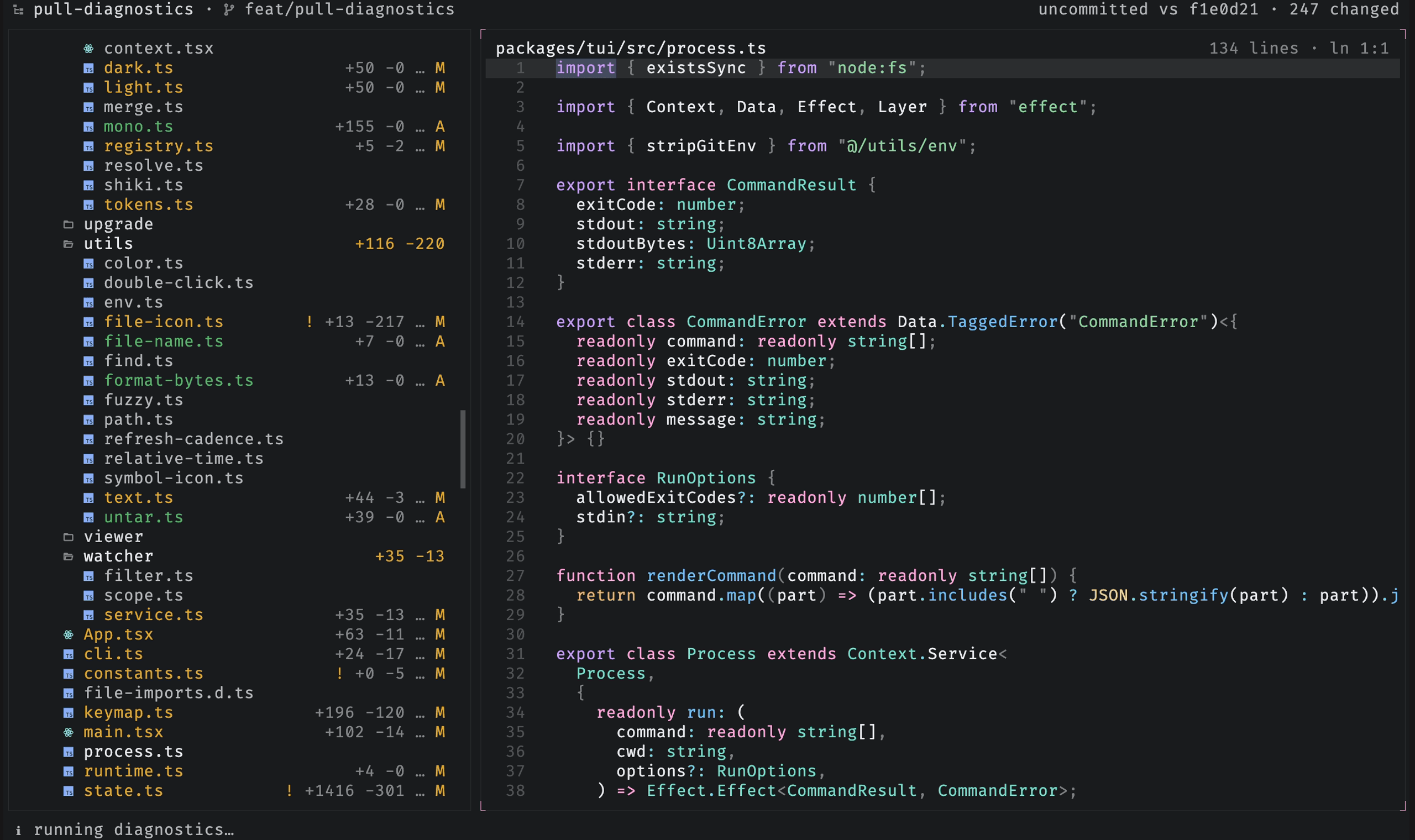
Diffs and the full-file toggle
A changed file opens as a diff. Press v to toggle between the diff and the
full file, and f to load the full content when a large file is truncated.
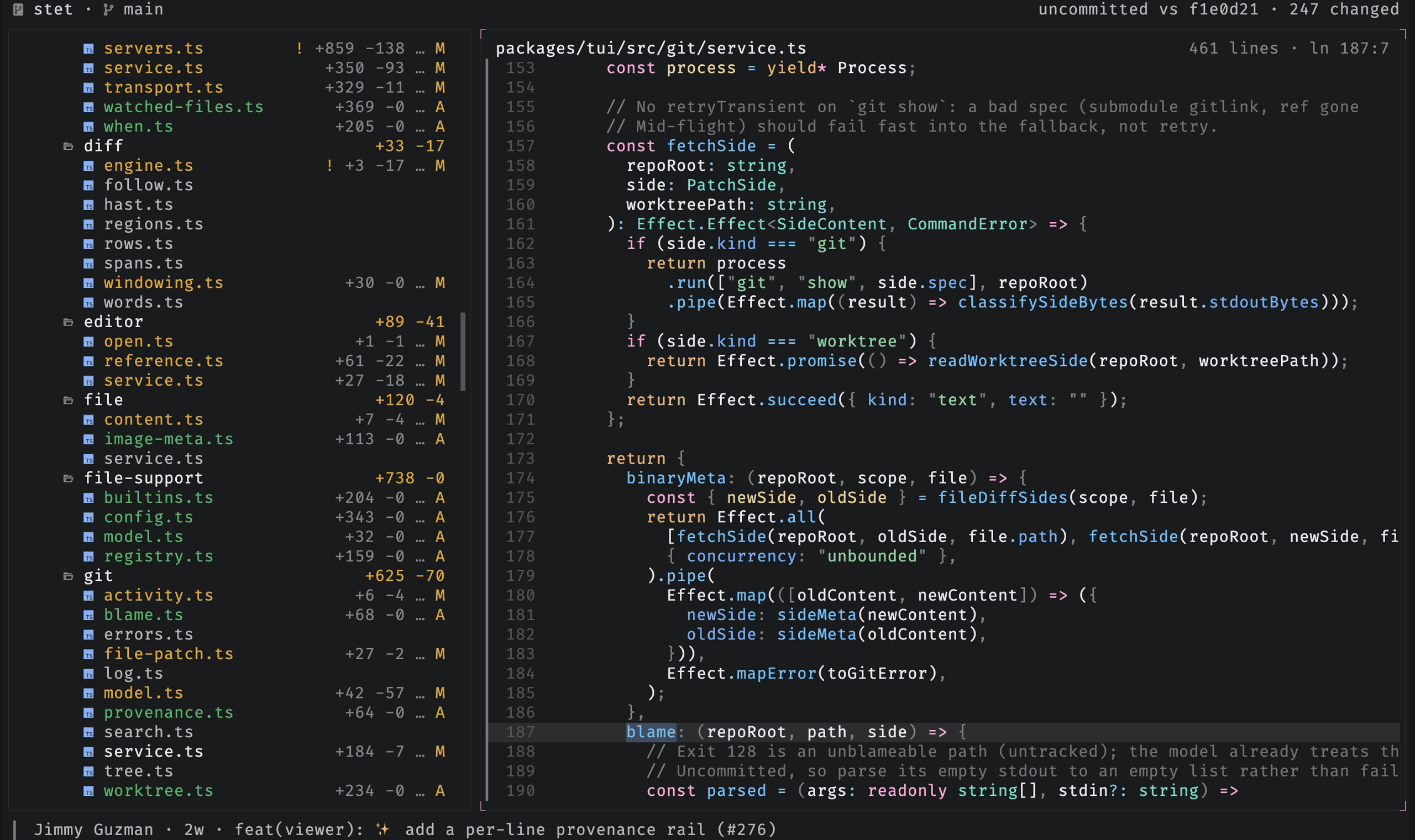
Line provenance
Press a to show each line's Git history in the gutter. Git blame supplies the
per-line commit attribution. stet maps each line to one of five tiers, newest to
oldest: uncommitted in the working tree, committed since stet launched,
committed earlier on the current branch, committed after the file's first
commit, or committed when the file was first added. The gutter uses brighter
marks for newer tiers. Move the caret to show that line's commit author, age,
and subject in the status bar.
Binary and image files
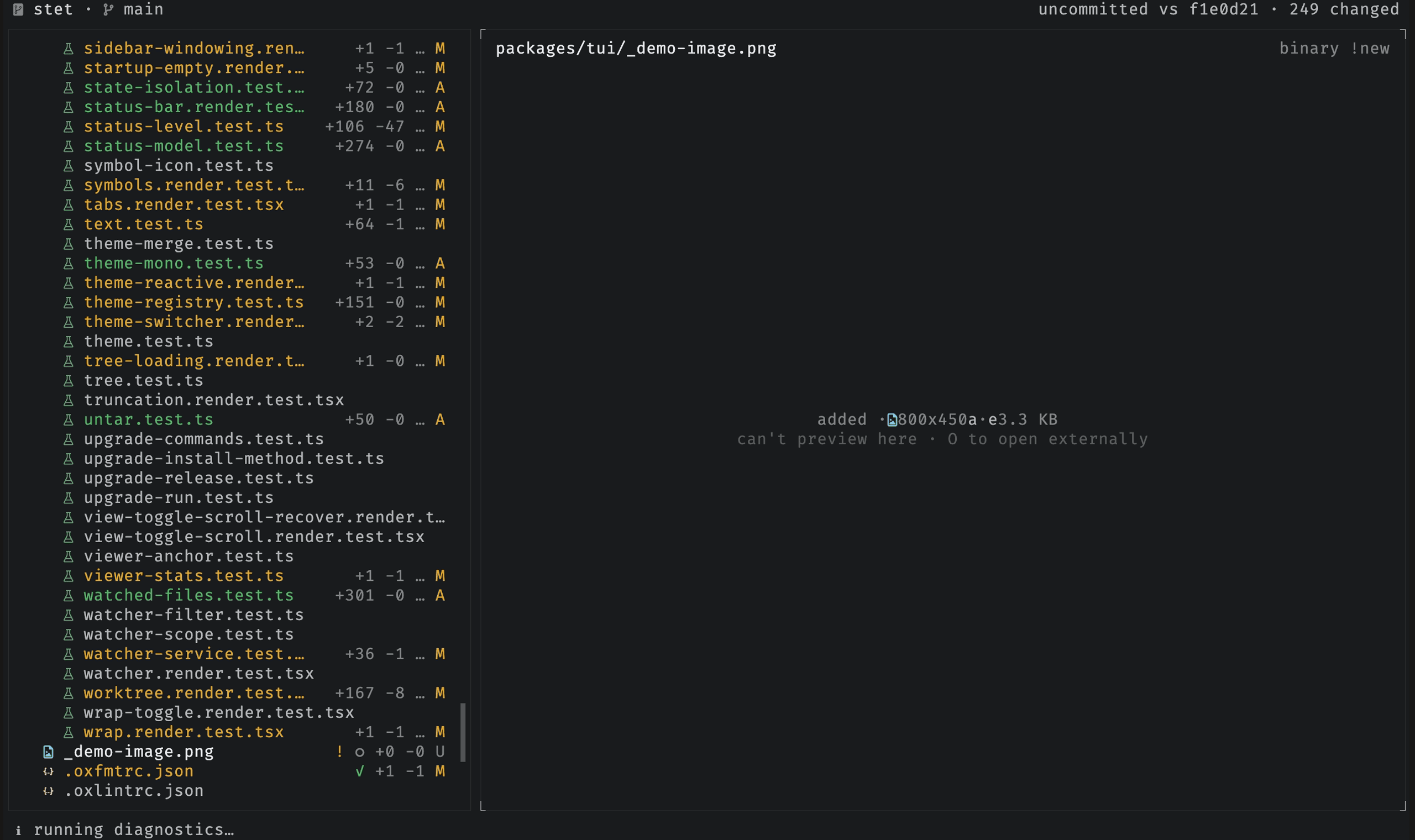
A terminal can't display an image, so instead of the raw bytes stet shows a card
with the file's type, dimensions, and size. For a changed image, it shows the old
and new values side by side. Press O to open the file in your OS default app,
like an image viewer or PDF reader.
Fold code
Press z in the viewer to fold the block at the caret behind a ▸ N lines folded marker. Code folds by indentation, markdown by heading section. The same
key expands a git-elided gap to reveal the unchanged lines around a hunk. Click
any marker to toggle it.
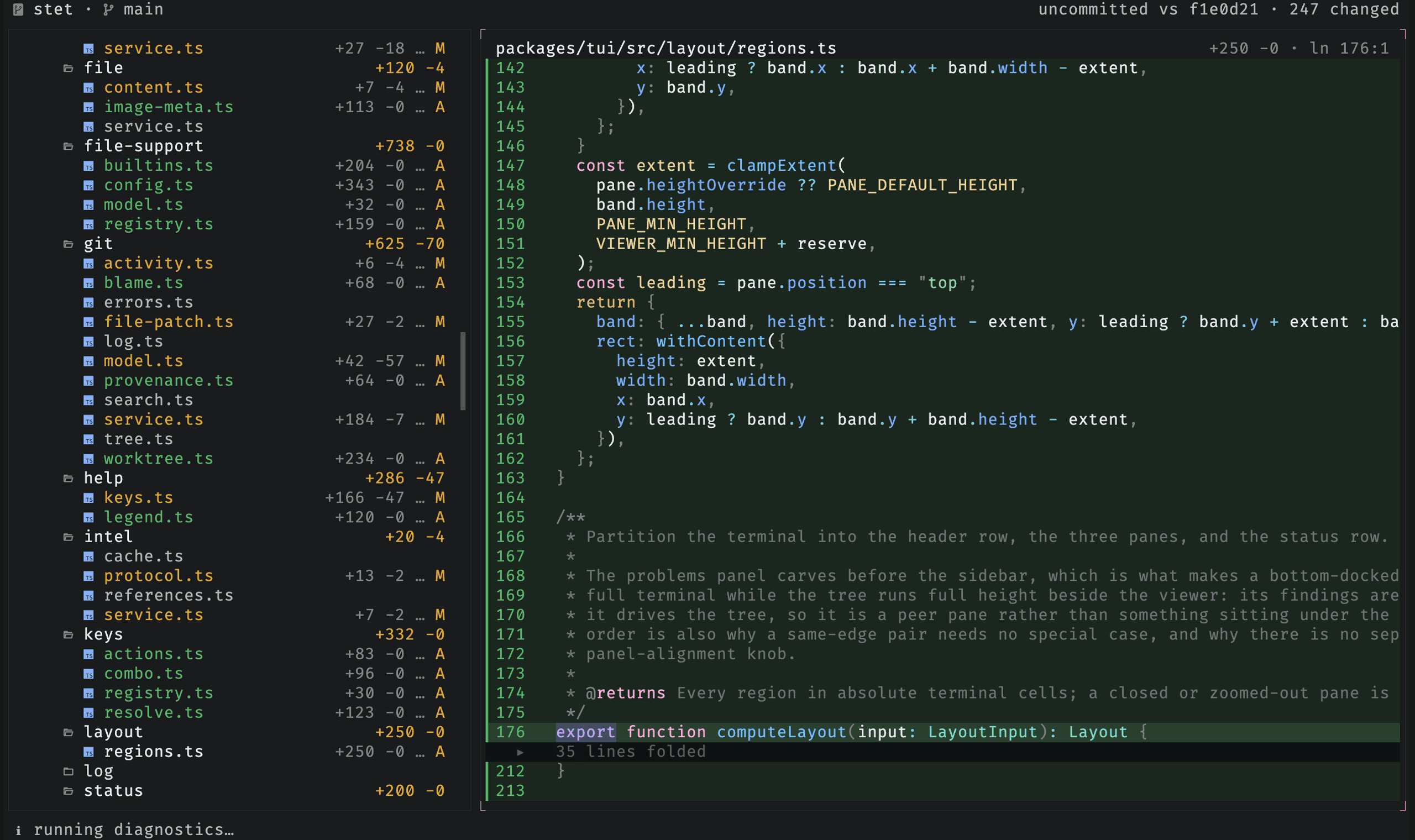
Folding is per file and resets when you switch files or change the diff scope. Press x to wrap
long lines in the viewer instead of scrolling them horizontally.
Tabs and history
Browsing the tree previews files in a single view. The italic filename marks the preview as temporary.
| Control | Action |
|---|---|
< / > | move back or forward and restore the saved cursor and scroll |
ctrl-t | pin or unpin the current file as a tab |
| double-click a file | pin the file as a tab |
{ / } | switch to the previous or next tab |
ctrl-w | close the current tab |
Each tab keeps its own navigation history, cursor, and scroll position.
Copy a reference
Press y to copy a reference to paste back into the agent conversation: the file
path in the tree, or path:line:col in the viewer. Y copies the whole
file's contents, and C copies the selected lines (or the caret line).